Core Concepts and Workflow Anatomy
Understand events, workflows, jobs, steps, and runners, then read a workflow file from top to bottom.
Core Concepts
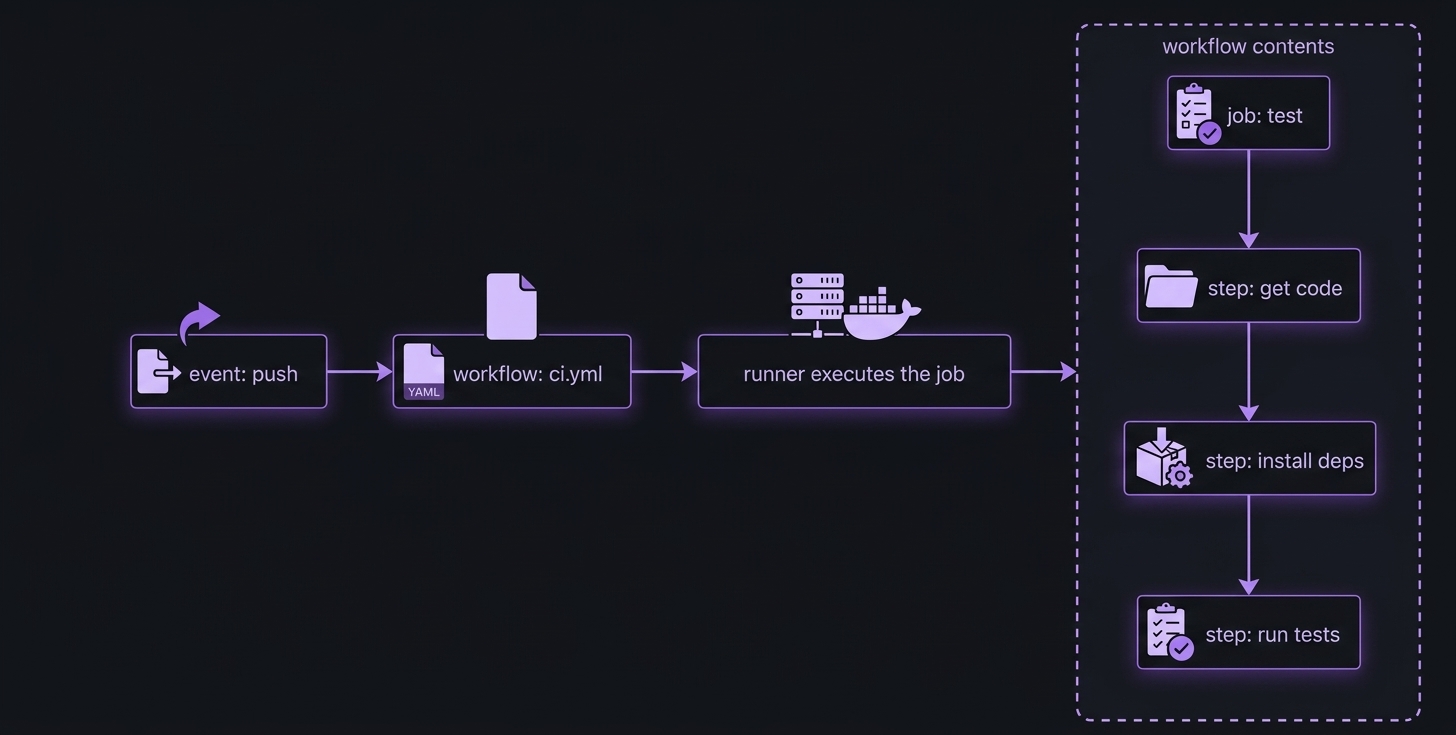
- Event — something that happens in a repository (a push, an opened pull request, a scheduled trigger). Events define when a workflow runs.
- Workflow — a YAML file that specifies what to do when an event occurs. A repository can contain multiple workflows.
- Job — a group of steps that runs on a single machine. A workflow can contain multiple jobs, which run concurrently by default.
- Step — an individual action within a job (running tests, installing Python, downloading code). Steps run sequentially.
- Runner — the machine that executes a job. GitHub-hosted runners spin up a fresh VM per job. Usage limits and billing depend on the repository and plan.
Where things live
| Aspect | Repository side | GitHub side |
|---|---|---|
| What | Workflow files live in the fixed root-level folder .github/workflows/. The repo can also hold local actions, action metadata, scripts, Dockerfiles, and other files those workflows use — all regular, versioned code. |
GitHub watches the repo for events. When one fires, GitHub reads the workflow file, creates the jobs, finds an eligible runner, and starts the run. |
| Runner lifecycle | — | A GitHub-hosted runner is a fresh VM provisioned for a single job and discarded afterward. A self-hosted runner is installed and maintained by its owner and can persist between jobs. |
Anatomy of a Workflow File
name: pixelpost CI
on: push
jobs:
  test:
    runs-on: ubuntu-latest
    steps:
      - name: Say hello
        run: echo "hello from CI"
Read top to bottom:
name— display name shown in GitHub’s UI next to each run. Optional, but best practice to set it.on— the event that triggers the workflow (“the when”). Here, any push.jobs— a map of jobs. Each key (e.g.test) is a job ID you define. A standard job needsruns-on(the runner) andsteps(a list). A job that calls a reusable workflow uses a job-leveluseskey instead.- Steps are a YAML list, each beginning with
-. A step that runs a shell command usesrun:;name:labels it in the logs.
What a run looks like
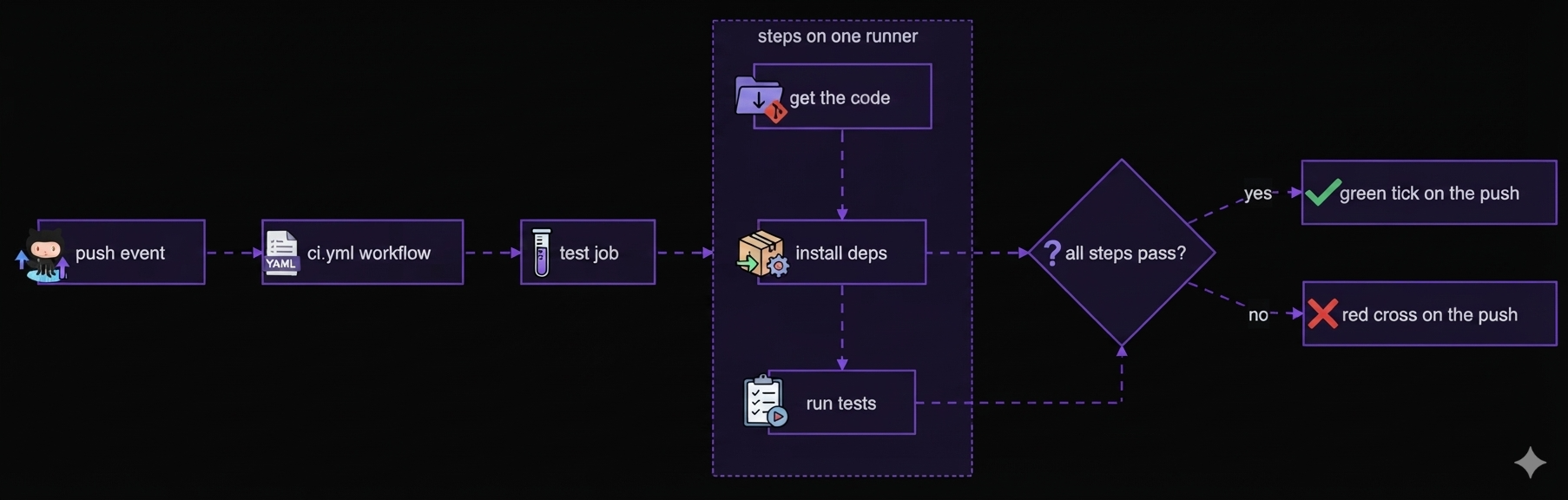
All steps of a job run on the same runner. If every step passes, the commit gets a green tick; if any step fails, it gets a red cross.